///
In this project, Anemometer was build for measuring wind speed and implementing in IoT devices.
////
SETUP
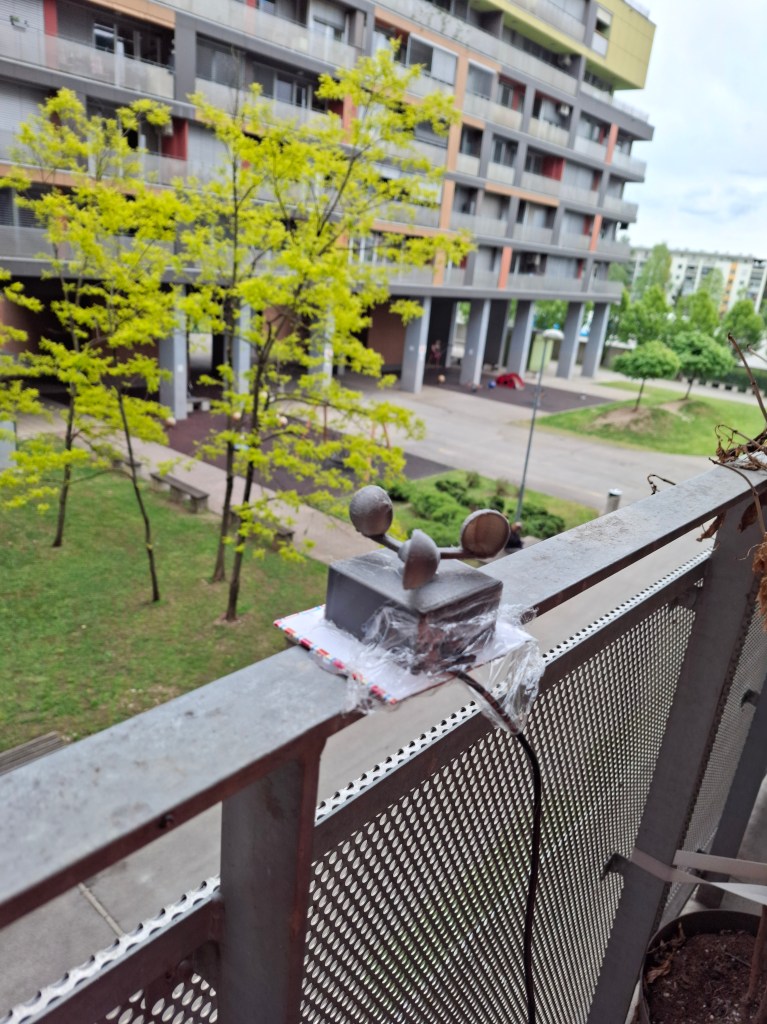
PETG casing, with a DC motor as encoder.
When the wind moves the blades, a voltage was induced trough the motor.
The voltage was read by an analog pin on a microcontroller trough ADC converter, that was than stored on the SD card.
This process was in loop every second.
/////
COMPONENTS
DC motor
A small DC motor was used, small motor are able to produce higher voltages and provide less resistance, therefore the measurement is easily pronounced.
Pins:
- – of DC motor to pin A2,
- + of DC motor to Ground.
Arduino Nano microcontroller
Low cost and durable microcontroller.
SD module
Pins:
- MISO of SD module to pin,
- MOSI of SD module to pin,
- CS of SD module to pin,
- CLK of SD module to pin,
- GND of SD module to pin,
- 3V3 of SD module to pin.
Power cable
Powering from a 5V adapter.
Pins:
- + of Power cable to VIN pin,
- – of Power cable common Ground pin
| Components | No. |
|---|---|
| Small DC motor | 1 |
| 3D printed casing and blades | 1 |
| Arduino nano microcontroller | 1 |
| Jumper wires | 8 |
| SD module | 1 |
| Power cable | 1 |
//////
CODE
This program is designed to measure wind strength using a sensor and record this information on an SD card every second. It also displays messages on a computer screen to indicate whether the SD card setup was successful and if the data was recorded correctly. Essentially, it helps keep track of how strong the wind is at any given moment and saves this data for later review.
The code
#include <SPI.h>
#include <SD.h>

const int sensorPin = A2;  // Pin where the sensor is connected
const int chipSelect = 7;  // Chip select pin for SD card module

void setup() {
  // Initialize serial communication:
  Serial.begin(9600);

  // Setup for the SD card module:
  Serial.print("Initializing SD card...");
  if (!SD.begin(chipSelect)) {
    Serial.println("initialization failed!");
    return;
  }
  Serial.println("initialization done.");
}

void loop() {
  int windStrength = analogRead(sensorPin);  // Read the sensor value
  Serial.print("Wind Power: ");
  Serial.println(windStrength);

  // Log data to the SD card:
  File dataFile = SD.open("1.txt", FILE_WRITE);
  if (dataFile) {
    dataFile.println(windStrength);
    dataFile.close();  // Close the file
    Serial.println("Data written to SD card.");
  } else {
    // If the file didn't open, print an error:
    Serial.println("error opening 1.txt");
  }

  delay(1000);  // Wait for a second before next reading
}
///////
RESULTS
Wiring:
- – of DC motor to pin A2,
- + of DC motor to Ground,
- MISO of SD module to pin,
- MOSI of SD module to pin,
- CS of SD module to pin,
- CLK of SD module to pin,
- GND of SD module to pin,
- 3V3 of SD module to pin,
- + of Power cable to VIN pin,
- – of Power cable common Ground pin

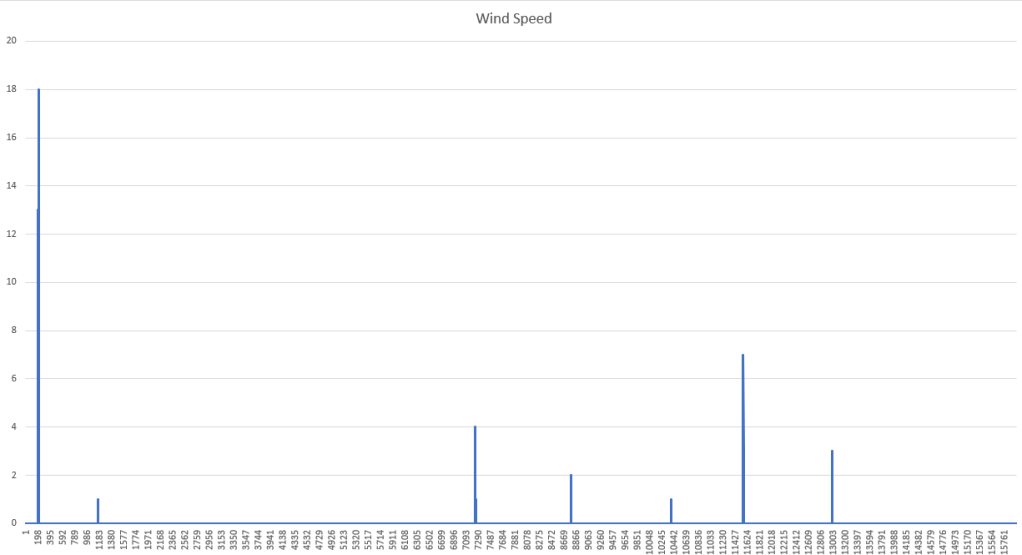
Chart of a wind data over a period of 1.5 day.
///////
 DOMEN SNUDERL