//
a way of identifying or confirming an individual’s identity using their face
///
MAIN
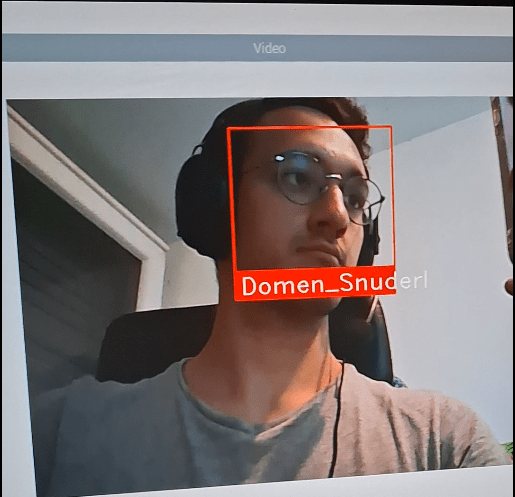
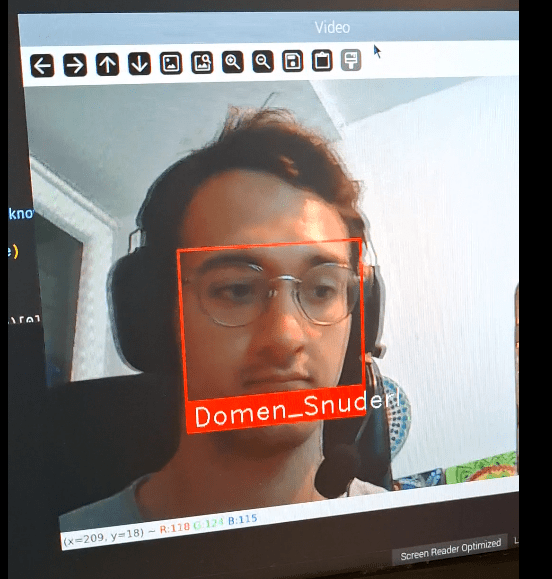
In this project Raspberry Pi 4 was able to detect a face from a database, using 5MP camera.
By using methods like LBP and HOG, facial features can be extracted.
Once the face is detected, the system compares it to a database and marks the detected face.
////
HOW IT WORKS
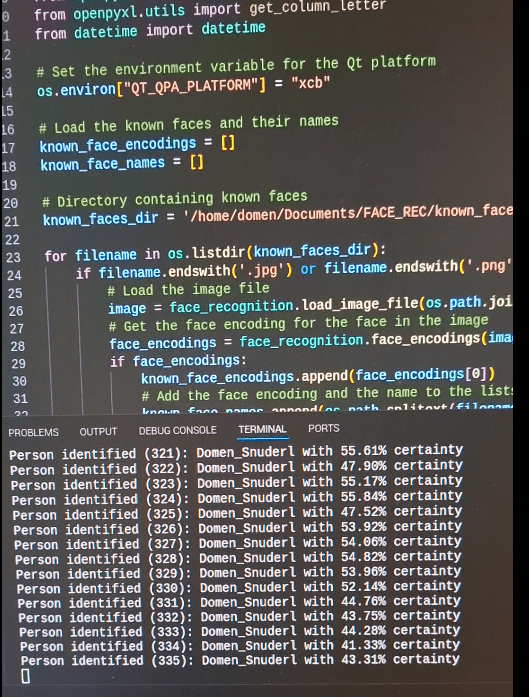
Initially, the code loads known faces from a specified directory, encoding each face and storing the encodings alongside their respective names. It opens the default camera, checking if the camera initializes successfully.
In the main loop, the code captures each frame from the camera, resizes it to a quarter of its original size for faster processing, and converts the color space from BGR to RGB. It then detects face locations and encodes the faces in the frame.
For each face encoding, it compares the detected face with known faces and computes the distances to find the best match.
If a match is found, the corresponding name is assigned; otherwise, the face is labeled as “Unknown.”
The code then draws rectangles around detected faces, labels them with names, and displays the annotated frames in a window.
This process allows for real-time facial recognition and display using a webcam.
/////
DATA LOGGING
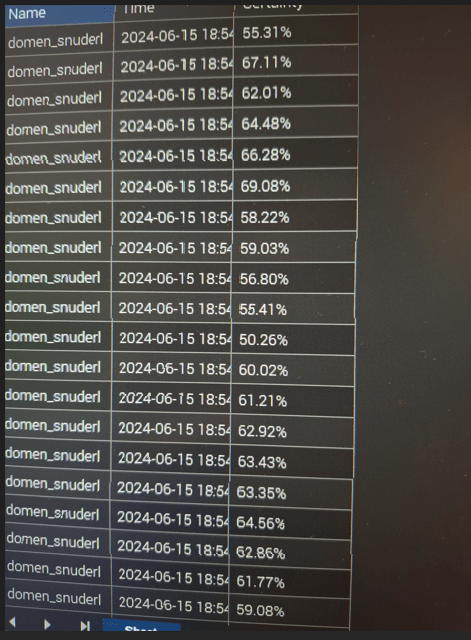
Additional features logs:
– Time of detection,
– Person recognized,
– Confidence level.
Data is logged in Excel sheet.
//////
GALLERY
///////
For the people who developed the LBP, PCA, LDA, HOG, SIFT, SURF, CSSs etc.
 DOMEN SNUDERL